 email
emailThe email59 app
The email59 app or Outlook on your phone: an honest comparison
Let's start with the part that decides it for many people: the email59 app can't read Outlook.com or Microsoft 365 mail yet. Microsoft only lets outside apps in through its own sign-in (OAuth), not with your password, and that sign-in is coming in a later build of our app. If your mail is at Microsoft, Outlook's app is the one to use today. Here is the rest of the honest split, with the store numbers we checked today.
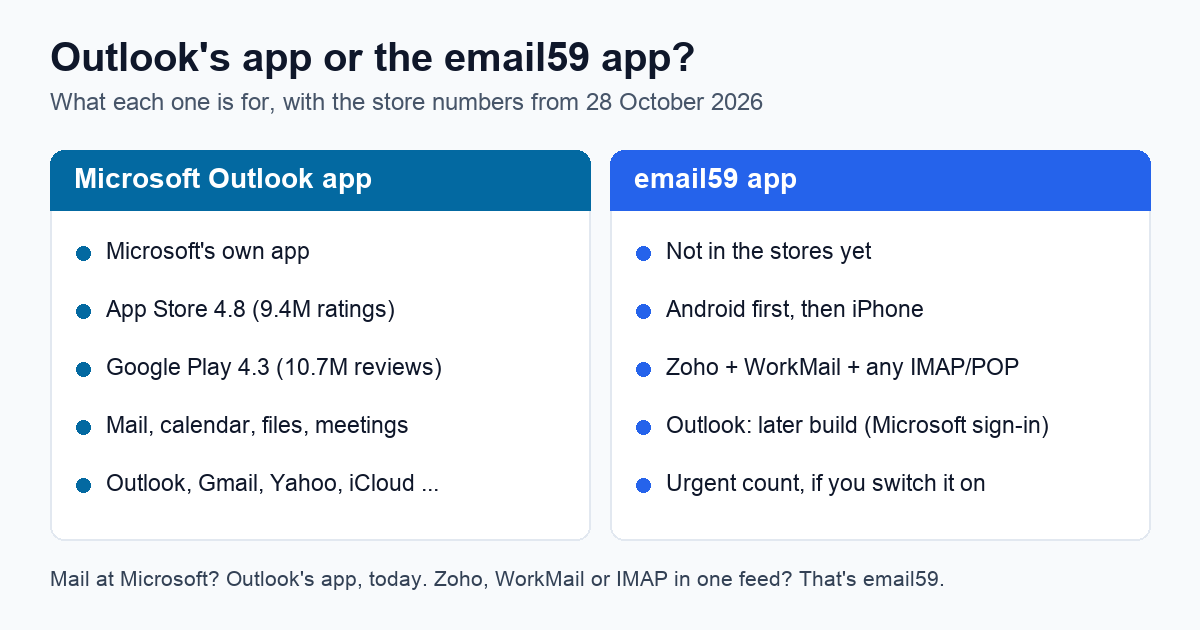
The two apps at a glance
| Microsoft Outlook app | email59 app | |
|---|---|---|
| Made by | Microsoft | email59, a small company that doesn't host your mail |
| In the stores | Yes: App Store 4.8 from 9.4M ratings; Google Play 4.3 from 10.7M reviews, 1B+ downloads | Not yet. Android first, then iPhone. No ratings yet |
| Price | Free; Google Play marks it "Contains ads"; Copilot features need a Microsoft 365 subscription (from $6.99 a month in the US) | Free to read and send; the urgent count is $4 a month and off unless you start it |
| Outlook.com and Microsoft 365 mail | Yes, its home ground | Not yet: needs Microsoft's sign-in, coming in a later build |
| Other mailboxes | Gmail, Yahoo, iCloud, Exchange; the Google Play listing adds IMAP and POP3 | Zoho, Amazon WorkMail and any IMAP or POP mailbox, in one feed |
| Beyond mail | Calendars, contacts, files, Teams and Zoom meetings, Word, Excel and PowerPoint attachments | Mail only. No calendar, contacts or files |
| Sorting | Focused inbox: mail to act on now, apart from everything else | With the urgent count on: a count of urgent mail across all your mailboxes, and a push only for those |
Where Outlook's app is the better pick
- Your mail is at Microsoft. Outlook.com, Hotmail, Live or a work Microsoft 365 account: Outlook reads it today, and we don't yet.
- You live in your calendar. Outlook puts calendars, meeting invites, Teams and Zoom links and files next to the mail. The email59 app has none of those and isn't trying to.
- You want something proven. 9.4M App Store ratings at 4.8 is a track record. Ours starts at zero when it ships. We won't claim to be better rated, or better in general.
- You already pay for Microsoft 365. Copilot summaries and drafting come with it in Outlook. email59's urgent count is a separate $4 a month.
Where the email59 app may suit you better
Mailboxes outside the big names. The email59 app is built around Zoho, Amazon WorkMail and plain IMAP or POP hosts. It asks a couple of questions (which provider, which region) and fills in the servers, and when a login fails it shows the step the provider wants, like turning on IMAP or making an app password. Those setup steps are where most people get stuck with any outside app.
An urgent count across every mailbox. Outlook's Focused inbox sorts mail into what to act on now and the rest. email59's urgent count answers a narrower question: how many of the new mails, across all your mailboxes, need you today. It's a $4 a month subscription, nothing is switched on until you start it, and it judges each mail from the sender, the subject and the first couple of lines; the full mail isn't fetched or stored for it. With it on, your phone buzzes for urgent mail only.
Leaving Amazon WorkMail. WorkMail closes on 31 March 2027. The email59 app reads WorkMail now and the mailbox you move to afterwards, in the same feed, so your phone keeps working through the move.
Why Outlook mail comes later in our app
Microsoft has closed the door on passwords for outside mail apps. Outlook.com accounts already take only Microsoft's modern sign-in for IMAP, POP and sending; when we connected to Outlook.com's sending server, the only sign-in it offered was OAuth. For Microsoft 365 work accounts, Microsoft switches password sign-in for sending off by default for existing organisations at the end of December 2026. So any app that asks for your Outlook password is on borrowed time, and we'd rather not ship one.
The email59 app will connect Outlook through Microsoft's own sign-in page, where you approve access and can take it back later. Until that build is out, Outlook shows in the app as coming later, and we won't say it works before it does. Work accounts may also need your IT admin to approve the app once.
If you use any other app with Outlook.com
Whatever app you pick besides Outlook's own, Outlook.com wants one thing first: IMAP or POP turned on. It's off by default. In Outlook on the web, go to Settings, Mail, Forwarding and IMAP, and switch it on. For reference, the servers are:
| Account | IMAP | POP | SMTP | Sign-in |
|---|---|---|---|---|
| Outlook.com, Hotmail, Live | outlook.office365.com 993, SSL | outlook.office365.com 995, SSL | smtp-mail.outlook.com 587, STARTTLS | Microsoft sign-in (OAuth) only |
| Microsoft 365 work or school | outlook.office365.com 993 | outlook.office365.com 995 | smtp.office365.com 587, STARTTLS | Microsoft sign-in; password sending off by default from end of December 2026 |
What stays the same in either app
Some things belong to Microsoft, whichever app you read the mail in:
- Junk filtering happens at Microsoft. Another app won't filter it better.
- Rules run on Microsoft's side. You set them up in Outlook on the web or on the desktop; the email59 app doesn't manage them either.
- Sending limits for Microsoft 365: 10,000 recipients a day and 30 messages a minute, and messages up to 35 MB by default. No app gets around them.
Using both
Once Outlook arrives in the email59 app, nothing stops you keeping Outlook's app for the calendar and meetings and using email59 for one feed with your other mailboxes. Both read the same mailbox, so a mail read or deleted in one shows that way in the other. Turn off mail alerts in one of them, so the phone doesn't buzz twice.
Join the email59 app waitlist We start with Android; iPhone comes next. One email when it's ready to install, nothing else.
Sources: the Microsoft Outlook pages on the App Store (US) and Google Play (US), read in a browser on 28 October 2026 (ratings, downloads, price, listed features and accounts); Microsoft's help pages on POP, IMAP and SMTP settings for Outlook.com and on basic authentication for Outlook.com; Microsoft 365 message center post MC786329 on SMTP basic authentication; the Exchange Online limits page; our own server greeting checks of outlook.office365.com and smtp-mail.outlook.com on 25 October 2026.
Microsoft, Outlook, Microsoft 365, Teams and Copilot are trademarks of Microsoft Corporation. App Store is a trademark of Apple Inc.; Google Play is a trademark of Google LLC. email59 is not affiliated with any of them.